We are now able to link our iKnow Finance module to My Fund Accounting, from the team at Data Developments.
Once linked, we will be able to choose the accounts and nominal codes that transactions should be sent to, so payments for Room Bookings and Tickets can be sent straight to our account with My Fund Accounting.
To set up the link, we need to go to Finance, click Settings and click Setup, where we should see the Integrations section. To start the process we'll need to click MyFundAccounting.
This will bring us to the My Fund Accounting log in screen where we'll need to enter our My Fund Accounting log in details.
Once we've entered our username and password, we'll need to confirm our Group and Branch, then we should get a message to let us know we've successfully linked our accounts. We'll then be taken back to iKnow, where we can let the system know which transactions should be sent to My Fund Accounting, by switching the relevant toggles.
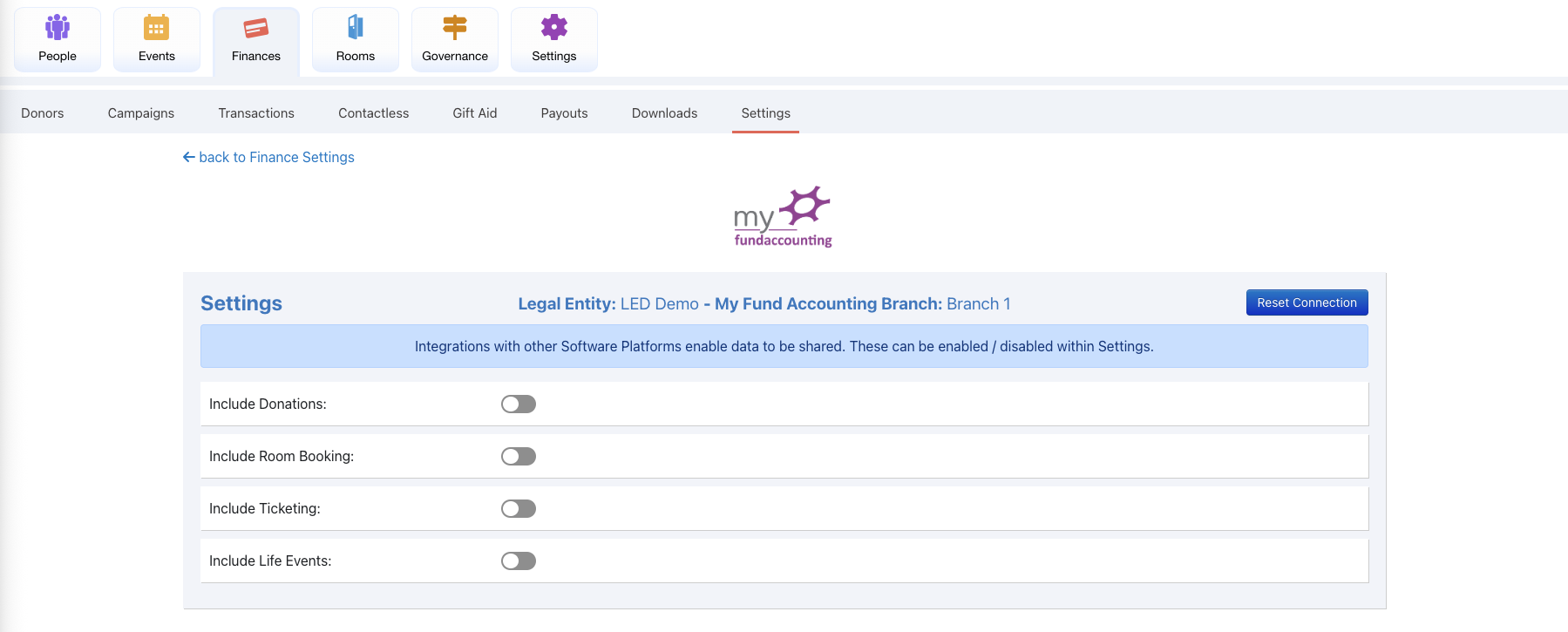
Once we switch on the options, we'll be able to add Fund, Fund Type and Nominal Code for our Finance Fees, then set those details for the options we have enabled. We can also set which bank account they should be linked and from what date iKnow should start sending transactions.
If we need to reset the connection and start again, we can click the Reset Connection button at the top right.