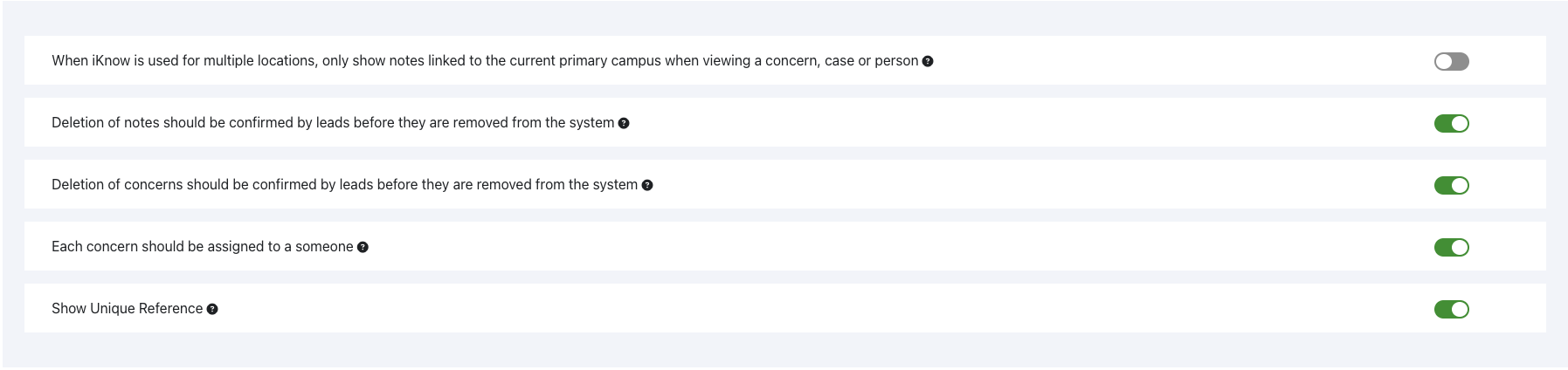
There are a few miscellaneous options that control how Notes can be viewed and deleted, and how Concerns can be deleted.
If we switch on the first option we can limit which notes will be visible if our iKnow has multiple locations. If the option is switched on, only notes relating to concerns for the primary campus will be shown. If there is a Concern raised for the person, in another location, notes added for that other location won’t be shown.
Switching on the toggle for Deletion of notes should be confirmed by leads before they are removed from the system, means that if someone who is not an Account Safeguarding Lead deletes a note, it will only be a soft delete. For the note to be completely removed, an Account Safeguarding Lead will need to confirm the deletion.
Switching on the Deletion of concerns should be confirmed by leads before they are removed from the system has the same effect for Concerns.

If these options are switched on, we will find any deleted Notes or Concerns in the Archived tab in Settings.
If we switch on the toggle alongside Each concern should be assigned to someone, new Concerns will have to be assigned to someone before they can be saved. If this is switched off, we will be able to assign a Concern without assigning it, but can still come back and assign it to someone at a later date.
Each Concern is automatically assigned a reference in the system, when it is created. If we want to be able to see that reference, we can switch on the Show Unique Reference toggle.